


Product videos play a crucial role in showcasing products in online shops, social networks, and digital advertising campaigns. While traditional product images primarily focus on shape and design, videos can also convey movement, usage scenarios, and special features.
The Pollo AI Product Video Generator allows you to convert existing product images into short video sequences. Users can upload an image, describe the desired presentation, and create an AI-generated product video. This method can be a particularly practical way to prepare visual content without the need for complex video production, especially for technical products, apps, accessories, or digital offerings.
Table of Contents
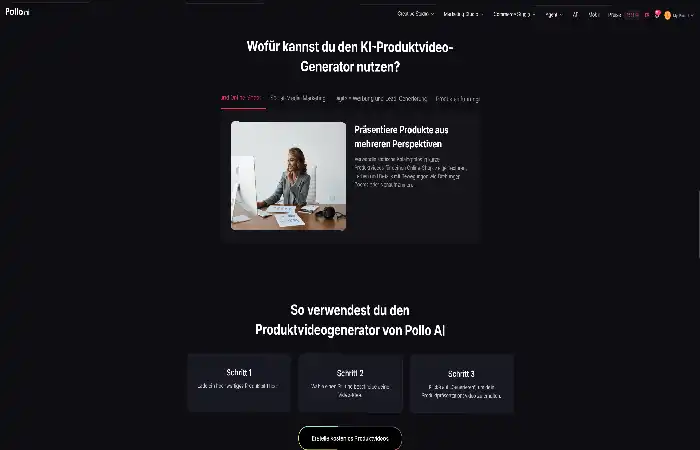
How does creating a product video with the Pollo AI Product Video Generator work?
How do I select a suitable source image?
The Pollo AI product video generator creates a suitable video presentation based on an existing product image. Therefore, the quality of the finished video depends heavily on the source material used. A clear photo with good lighting and visible product details provides a better foundation for video generation.
Suitable examples include:
Product images with sharp contours and even lighting
Photos where important functions or design elements are visible
Images without distracting backgrounds or excessive visual elements
For technical products such as smartphones, headphones, or smart home devices, ports, surfaces, and special features should be clearly recognizable. This allows the AI to better consider the most important components of the product.
How do I create a suitable video description?
After uploading the image, you can enter a description that defines the desired result. With Pollo AI, users can specify the desired presentation. The description should be as concrete as possible and not just contain general terms.
Instead of a simple input like “create product video,” a more detailed description can yield better results, for example:
“Create a modern product video with slow camera movement, professional lighting, and an elegant presentation against a minimalist background.”
In addition to camera movement, you can also describe the setting, atmosphere, and presentation style. The Pollo AI product video generator uses this information to create suitable movements and visual elements for the video.
Which settings are suitable for different products?
The design of a product video should always be tailored to the specific product. A technical device often requires a clear and minimalist presentation, while lifestyle products can benefit more from realistic usage scenarios.
Some examples:
Electronic products: Focus on details, materials, and functions
Cosmetic products: Emphasize textures, colors, and a high-quality atmosphere
Everyday products: Depiction in realistic usage situations
Different descriptions allow for the creation and comparison of multiple video variations.
What advantages does the Pollo AI product video generator offer for digital content?
How can product videos be used in online shops?
In online shops, videos can provide additional information that is difficult to convey through single images. Animated product views, for example, demonstrate dimensions, operating options, or special features.
For technical devices, a short video can explain how to use a product. For physical products, a realistic depiction can help give customers a better impression before purchasing.
How can content be prepared for social media?
Short video formats are particularly popular on many social media platforms. Companies and content creators often need different versions of a product for different channels.
With the Pollo AI product video generator, multiple visual approaches can be developed from a single image. For example, a product can be presented once with a minimalist background and another time in an everyday scene.
This allows you to test different presentation ideas before publishing a video.
Why is this method suitable for technical products and apps?
Visual explanations are particularly helpful for technology products. A smartphone accessory, an app, or a digital product can be presented more clearly through moving scenes than through purely textual descriptions.
Especially for applications that are primarily distributed via digital platforms, short videos can quickly convey important functions and give users a first impression.
What steps should be taken after creating a product video?
After generation, the result should be reviewed and adjusted if necessary. Several points are important here:
Does the presentation correspond to the actual product?
Are important features clearly recognizable?
Is the video format suitable for the intended platform?
Are the length and composition appropriate for the target audience?
For product pages in an online shop, more detailed videos can be beneficial. Shorter sequences with a quick introduction are often more suitable for social media.
The description can also be adjusted multiple times if specific movements, perspectives, or environments need to be changed.
Summary:
The Pollo AI product video generator offers a simple way to create new video content from existing product images. The process begins with selecting a suitable image, followed by a detailed description of the desired presentation.
This method can be a practical complement to traditional product photos, especially for online shops, technical products, and digital content. However, a clear product message, high-quality source material, and design appropriate for the target audience remain crucial for a successful result.
By combining image analysis and automated video generation, various product presentations can be created and adapted for different digital applications.
Kashifa Jafar is a technology and digital trends writer at TechGeeksBlogger with 4+ years of experience in content writing and digital publishing. She covers technology, artificial intelligence, software, apps, gadgets, cybersecurity, internet technology and emerging digital trends.
Sameena Begum is a technology and digital content reviewer at TechGeeksBlogger. She reviews selected content for clarity, organisation, consistency, readability and overall editorial quality.